




by Fairy Tiara Lady Auriandra
If you have seen tiaras, you know that they are fairly complex and usually very symetrical. You must say "how can I do that?" well you only do half of it by hand, mostly the left side then use copy/paste/flip horizontal and then some automitic functions to cover any discrepencies and there you are. I use the Paint program that comes with Windoews. Let me demonstrate.
While this lesson concerns itself with one tiara that I drew, let it serve as an example from whic to learn
|
1. Begin with a blank "canvas". For my purposes 254 x 159 Pixels will do fine, I will cut and past later
|


 8. I did the following. chose Select and right-clicked on the picture and chose Select all then Cut then I went to Edit Color/Custom Color and made a kind of indigo and used the Fill with Color. I then Paste'd and set the background to transparent. I then had to replace the two white highlights in the stones. I took a look at it and decided that the tiara might be better as an antique gold so I went to Edit Colors/Custom Color. made up a gold. went to large size and used the Fill With Color plauced on the impage and that was it. Learning to make the Bitmap backgound transparent makes many things possible. You can use they tiara in the clipboard as part of another drawing. The make lovely trim or over-door ornaments. Or, like me you can just peel (Using Select, Select all, Cut) it off to change the background color without having to get into tiny spaces with the Fill With Color tool then paste it back in This is a very basic image. At some point you may want to add hightlights and shadows to make the tiara stand out. but from this, you can see that a very attractive basic tiara is not a hard thing to make. To be sure, like everything else and especially drawing, this will take a bit of practice. However, as you see from my description. I did not exactly bust my magic wand on this image although I did have to "undo" and redo a few times. and I did a good deal of the work zommed in to large size, but that is all right; you get used to it. This is to show that, when you see any of my tiara drawings, if you think I slaved over it, you now know better. Now that I have the finished work, I can do things with it. most of these ususally involve turning it int a gif. However, before I do that, I can do background effects like this: 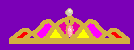 Or, I can amke it a gif with IRFANVIEW and the plugins, and make a transparent backgound by using File/Save as/gif/ check "save transparency" and select the background color  Or...
 Well, anyway, now you know my dirty little secret :giggle: |